
1. Introduction: Customer Support Is Becoming Always Available
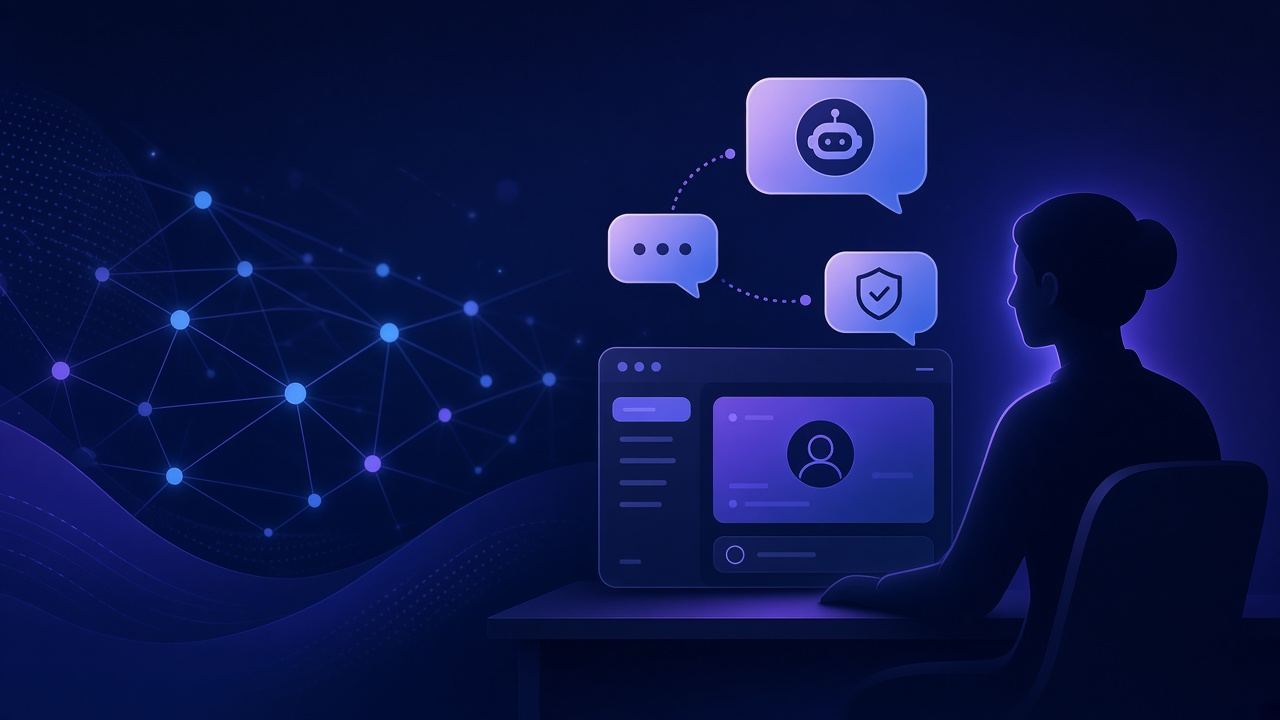
Customers increasingly expect businesses to provide quick, clear, and convenient support across websites, messaging channels, and mobile applications. They may want to check an order, understand a service, book an appointment, or resolve a common issue outside normal office hours. An AI chatbot can help answer routine questions and guide customers to the next step without requiring every interaction to begin with a live agent.
A business chatbot is not simply a pop-up that says hello. A useful chatbot understands the purpose of a conversation, retrieves approved information, asks for missing details, and either completes a permitted task or transfers the customer to a person. The experience should be designed around customer needs and the company’s actual service processes.
This guide explains how AI chatbots work, where they can help, what features matter, how to implement them, and how to measure performance. It is intended for business owners, customer experience leaders, operations teams, and technology decision-makers considering chatbot development.
A chatbot should make support easier, not create another obstacle. Customers must be able to reach a human when the issue is sensitive, unusual, urgent, or outside the bot’s capability. The business should also make it clear when a customer is interacting with an automated assistant.
- Start with frequent, well-documented customer questions.
- Make human hand-off easy and visible.
- Use approved, current business information.
- Measure resolution and customer experience, not just chat volume.
2. What Is an AI Chatbot?
An AI chatbot is a software application that interacts with people through conversational messages. Depending on its design, it may use language understanding, machine learning, generative AI, search, business rules, and integrations with company systems. Some chatbots follow predefined decision trees. Others interpret natural-language questions and generate responses using approved information. Many practical solutions combine both approaches.
A rules-based chatbot is useful when the conversation follows a predictable path, such as selecting a department or checking a simple status. An AI-powered chatbot can handle more varied wording and questions, identify intent, and retrieve relevant information from a knowledge base. A retrieval-augmented design can ground answers in selected company documents rather than relying only on a model’s general training.
The term “AI chatbot” covers a wide range of capability. A simple FAQ assistant should not be presented as if it can independently manage complex customer cases. Businesses should define exactly what the bot can answer, what systems it can access, which actions it can perform, and when it must hand off the conversation.
The right design depends on the use case. A product enquiry bot may need access to product descriptions and stock information. A booking assistant may need availability and scheduling integration. A technical support bot may need troubleshooting guides and a secure way to create a support ticket. Scope should be clear before development begins.
- Rules-based bots handle structured, predictable paths.
- AI-powered bots interpret varied language and retrieve information.
- Generative responses need grounding, testing, and clear limits.
- Capabilities should match the business process and available integrations.
3. Key Benefits of AI Chatbots for Businesses
A well-designed chatbot can provide first-line support at any time, including evenings, weekends, and busy periods. It can answer common questions consistently, collect information before an agent joins, and direct customers to relevant resources. This can reduce avoidable waiting and help support teams focus on cases that require investigation or empathy.
Chatbots can also improve lead capture and service navigation. A visitor exploring a service can ask questions, describe a requirement, and request a consultation. The bot can collect contact details with appropriate notice and pass the context to a sales representative. For appointment-based businesses, it may guide users through service selection and booking, provided it is connected to a reliable scheduling system.
Operational benefits should be evaluated carefully. A chatbot may reduce repetitive contacts, but it can also create additional work if it misunderstands questions or makes it difficult to reach a person. The aim should be to resolve appropriate requests efficiently while preserving customer trust. Useful measures include successful self-service resolution, escalation quality, customer satisfaction, response time, and cost per resolved enquiry.
Consistency is another potential advantage. A bot connected to maintained and approved content can provide the same policy information to customers across channels. This requires content governance: outdated promotions, changed prices, and revised service terms must be updated in the knowledge source.
- Availability: provide support outside standard business hours.
- Speed: answer common questions and collect context quickly.
- Capacity: assist with routine enquiries during demand peaks.
- Lead support: qualify enquiries and route them to the right team.
4. Real-World Chatbot Use Cases
Customer support is a natural starting point. A chatbot can explain delivery policies, warranty coverage, account steps, service availability, and common troubleshooting instructions. It should avoid exposing account details until the customer has passed the appropriate authentication process. Sensitive account changes should use secure workflows rather than conversational guesswork.
In e-commerce, chatbots can help customers find products, compare features, understand shipping options, and check order status. Accurate answers may require connections to a product catalogue, inventory service, and order-management platform. If information is unavailable, the bot should say so and offer a suitable next step rather than inventing an answer.
In professional services, a chatbot may answer questions about service offerings, collect project requirements, and arrange an introductory meeting. In healthcare administration, it may provide approved information about clinic hours or appointment procedures, while directing medical questions to qualified professionals. In education, it may assist with course information and administrative questions. In hospitality, it may answer questions about amenities, booking policies, and check-in procedures.
Internal chatbots can support employees as well as customers. An internal assistant may help staff locate HR policies, IT instructions, onboarding material, or process documentation. Access controls must ensure employees only receive information they are authorized to view.
- E-commerce: product discovery, order status, and returns guidance.
- Services: lead qualification, consultation requests, and FAQs.
- Hospitality: booking information, amenities, and guest enquiries.
- Internal support: approved HR, IT, and process knowledge.
5. Essential Features of a Business Chatbot
A strong chatbot begins with clear intent recognition and a well-organized knowledge source. It should understand common variations in how people ask the same question, ask clarifying questions when needed, and show customers the source or next step where appropriate. The knowledge base should have an owner, review schedule, and process for removing outdated information.
Channel support matters. Depending on the audience, the business may need a website widget, mobile app integration, or a messaging channel such as WhatsApp Business. Each channel has its own platform rules, templates, consent requirements, and technical constraints. The conversation should remain coherent when it moves between channels or from bot to human agent.
Useful operational features include conversation history, agent hand-off, ticket creation, analytics, multilingual support where required, authentication for protected information, and integration with CRM or help-desk tools. Administrators should be able to review failed conversations, update content, and manage permissions without rebuilding the entire application.
Security and privacy features are essential, not optional extras. The system should minimize the personal information it collects, protect data in transit and at rest, apply access controls, and define retention. Logs should be designed so that teams can troubleshoot without unnecessarily exposing sensitive customer information.
- A maintained knowledge base with clear source ownership.
- Human hand-off with conversation context preserved.
- Relevant CRM, ticketing, booking, or commerce integrations.
- Analytics, access controls, privacy safeguards, and administration tools.
6. How AI Chatbots Work
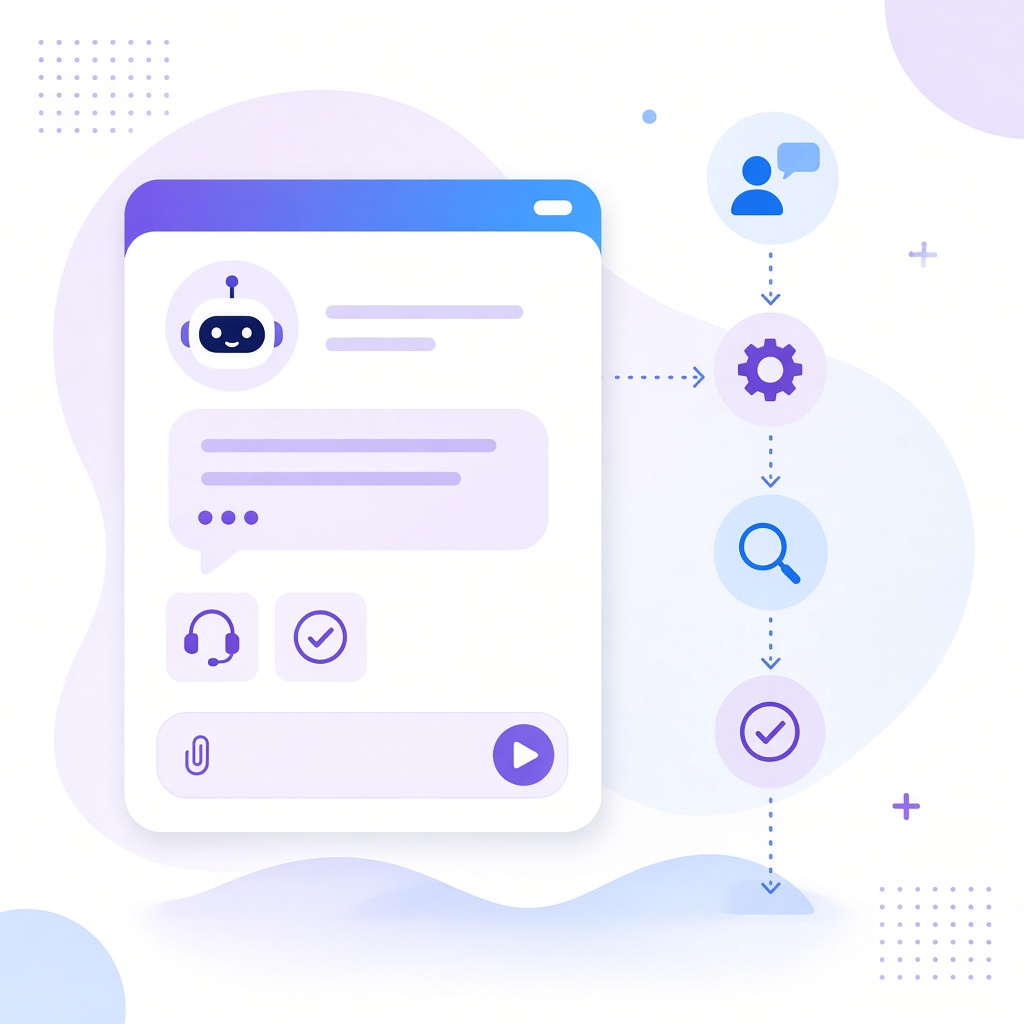
A typical interaction begins when a customer sends a message. The system identifies the channel and applies any relevant session or authentication rules. It then interprets the message to determine the customer’s likely intent and extract important details, such as an order number, product category, or requested date. If information is missing, it asks a follow-up question.
For knowledge-based questions, the chatbot searches an approved source for relevant material. The answer-generation component can then produce a concise response grounded in the retrieved information. A well-designed system checks that the answer is supported, follows business rules, and does not reveal content outside the user’s permissions. If confidence is low or the request is unsuitable, the chatbot should ask for clarification or transfer the case.
For action-oriented conversations, the chatbot may call a controlled business function. For example, it may create a support ticket or request appointment availability. The function should validate inputs and permissions independently. The language model should not be trusted to enforce security by itself. Confirmation should be requested before consequential actions, and the result should be recorded in the relevant business system.
This architecture separates conversation from execution. The AI interprets and guides; trusted application services validate and perform permitted operations. That separation makes the system easier to test, monitor, and secure.
- Receive and classify the customer’s message.
- Retrieve relevant approved information or identify a permitted action.
- Generate a grounded response or ask for clarification.
- Validate actions, log the outcome, and escalate when necessary.
Animated workflow
How an AI Chatbot Works
Follow a customer message from the channel interface to intent recognition, knowledge retrieval, and resolution or human escalation.
- Channels — website, WhatsApp, app, or messaging.
- Understanding — intent, entities, and approved knowledge.
- Decision — automate when safe, escalate when needed.
7. Steps to Implement an AI Chatbot
Begin by defining the purpose. Choose one audience and a manageable set of tasks, such as answering service FAQs or collecting qualified enquiries. Review real customer questions, support tickets, website searches, and agent feedback. Identify the questions that are frequent, low-risk, and supported by reliable information. Document the cases that must always go to a human.
Next, prepare the content and integrations. Remove outdated information, resolve conflicting policy statements, and organize documents into clear topics. Decide whether the bot needs access to a CRM, ticketing platform, booking tool, product catalogue, or order system. Define the minimum data required and how authentication will work. Select the channel based on customer behaviour and platform requirements.
Design conversation flows, fallback messages, escalation rules, and privacy notices. Build a prototype and test it with representative users. Include misspellings, ambiguous questions, unusual requests, prompt-injection attempts, and cases where the source material does not contain an answer. Launch to a limited audience, monitor results, and improve the experience before expanding.
A launch plan should name the business owner, technical owner, content owner, support team, and escalation contact. It should also define how the chatbot will be paused or switched to a safe fallback if a serious issue occurs.
- Discover customer needs and define the initial scope.
- Prepare trusted knowledge and integration requirements.
- Design conversations, safeguards, and human escalation.
- Test, launch gradually, monitor, and continuously improve.
8. Best Practices for Successful Chatbot Deployment
Set honest expectations. Introduce the assistant clearly and explain what it can help with. Avoid pretending that the bot is a human agent. Keep responses concise, use familiar language, and provide links or next steps when useful. Customers should not have to repeat information when transferred to a person; the agent should receive the relevant conversation context.
Design for failure as carefully as for success. The bot should acknowledge uncertainty, ask a focused clarifying question, and offer a human route when it cannot help. Avoid repeated loops and excessive questioning. For complex tasks, break the conversation into manageable steps and confirm important details before submitting a request or changing a record.
Review conversations regularly. Look for unanswered questions, high abandonment, repeated transfers, and incorrect or unhelpful responses. Update the knowledge base when policies change. Test the chatbot after changes to the model, prompts, retrieval settings, integrations, or source documents. Monitor performance by channel and customer segment so that a good average does not hide a poor experience for a particular group.
A chatbot is an ongoing service, not a one-time website feature. Assign ownership for content, quality, security, and platform maintenance. Make improvements based on evidence from customers and agents.
- Be transparent that the customer is interacting with an automated assistant.
- Keep answers short, relevant, and grounded in approved information.
- Preserve context during escalation and provide a clear human route.
- Review conversations and test after every meaningful change.
9. Common Challenges and Solutions
Incorrect answers are a major risk, especially when a chatbot generates language. Reduce this risk by retrieving from approved sources, restricting the scope, using answer checks, and instructing the system to say when information is unavailable. For high-impact topics, require human review. Never allow a chatbot to invent prices, policies, delivery commitments, or eligibility decisions.
Integration problems can arise when business systems have inconsistent data, limited APIs, or unclear ownership. Start with a small number of well-defined integrations and test permissions, error handling, and data freshness. If an external system is unavailable, the bot should provide a safe fallback rather than imply that an action succeeded.
Customer frustration can result from poor intent recognition, repetitive questions, or hidden escalation. Review failed conversations and redesign the flow. Privacy risks can arise from collecting too much information or exposing account data. Minimize collection, authenticate users before showing protected details, and apply retention rules. Cost and latency should also be monitored, particularly when conversations are long or use expensive models.
A practical risk register should identify each risk, its likelihood and impact, the control that reduces it, the owner, and the process for responding to incidents. This turns chatbot governance into an operational responsibility rather than a document that is never revisited.
- Ground answers in trusted sources and provide safe uncertainty handling.
- Use secure APIs and validate every action independently.
- Minimize personal data and enforce authentication and access controls.
- Track failure patterns, costs, latency, and customer feedback.
10. Measuring Performance and Improving the Chatbot
Measure whether the chatbot is helping customers complete the task they came to perform. Containment rate — the share of conversations that do not reach an agent — can be useful, but it should never be treated as success by itself. A bot that prevents customers from reaching a person may have a high containment rate and a poor customer experience.
Pair operational measures with quality measures. Track successful resolution, escalation appropriateness, time to resolution, customer satisfaction, repeat contact, abandonment, and answer accuracy. For lead-generation use cases, measure qualified enquiries and the proportion that progress to a meaningful sales conversation. For booking use cases, measure completed bookings and errors rather than clicks alone.
Create a regular improvement cycle. Sample conversations, label common failure types, prioritize fixes, update the knowledge base, and test the changes before release. Compare results over time and segment them by topic, channel, and customer type. If a metric improves while another deteriorates, investigate the trade-off rather than reporting only the favourable number.
Establish a baseline before launch and define targets that reflect the business objective. Targets should be realistic and reviewed as the chatbot’s scope changes. Keep a record of releases and significant configuration changes so that performance shifts can be investigated.
- Resolution quality and customer satisfaction.
- Escalation rate, appropriateness, and repeat contacts.
- Response time, abandonment, and operational cost.
- Lead or booking outcomes where those are the chatbot’s purpose.
11. Conclusion: Build a Chatbot Around Customer Needs
AI chatbots can help businesses provide faster answers, support customers across channels, capture enquiries, and reduce repetitive work. Their value depends on more than the underlying AI model. Clear scope, trustworthy information, secure integrations, accessible human support, and ongoing measurement are what turn a chatbot into a dependable business service.
The best first project is usually focused. Select a frequent customer need, prepare the relevant knowledge, design a straightforward conversation, and decide how the bot will hand off cases it cannot resolve. Test the experience with real users and monitor both efficiency and satisfaction. Expand only when the first use case demonstrates reliable performance.
Minds Invasion provides AI, software, and digital solution capabilities for businesses exploring intelligent customer experiences. If your organization is considering a website chatbot, WhatsApp automation, or a connected support assistant, begin by identifying the questions customers ask most often and the systems the solution would need to use. That information creates a practical foundation for a discovery discussion and implementation plan.
A successful chatbot should feel like a helpful route through a service — not a barrier between the customer and the business. Design around real needs, be transparent about limitations, and keep people involved where judgment and care matter.
- Choose a clear first use case and define success measures.
- Connect the chatbot to current, approved business information.
- Make escalation and privacy safeguards part of the design.
- Improve continuously using customer and agent feedback.
Business Use Cases at a Glance
Customer Support
Answer delivery, warranty, account, and troubleshooting questions with clear escalation for sensitive or complex cases.
E-commerce
Help shoppers find products, understand shipping options, and check order status using catalogue and order-system data.
Services & Lead Capture
Qualify enquiries, collect requirements, and request consultations while preserving context for the sales team.
Internal Employee Support
Help staff find approved HR, IT, and process knowledge with access controls that match authorization rules.
Key Takeaways
- Design the chatbot around frequent customer needs, not around a technology demo.
- Ground answers in approved knowledge and keep human escalation visible.
- Separate conversation understanding from secure action execution.
- Measure resolution quality and satisfaction, not containment alone.
- Treat the chatbot as an ongoing service with clear ownership and review cycles.
Frequently Asked Questions
What is the best first chatbot use case?
Start with frequent, low-risk questions that already have clear answers in your support documentation — for example, shipping policy, service hours, or basic troubleshooting. Avoid beginning with complex account changes or high-stakes decisions.
Should a chatbot replace human support agents?
No. A useful chatbot handles routine enquiries and collects context so agents can focus on sensitive, unusual, or high-empathy cases. Customers should always have a clear path to a person when needed.
Do we need WhatsApp as well as a website chatbot?
It depends on where your customers already ask questions. Many businesses begin on the website and expand to WhatsApp or mobile apps when demand and platform requirements justify the extra channel work.
How do we stop a chatbot from giving incorrect answers?
Ground responses in approved sources, restrict the bot’s scope, test edge cases, require confirmation for consequential actions, and escalate when confidence is low or information is missing.
Which metrics matter most after launch?
Track successful resolution, escalation quality, customer satisfaction, abandonment, answer accuracy, and — where relevant — qualified leads or completed bookings. Containment rate alone is not enough.
Can Minds Invasion help build a business chatbot?
Yes. Minds Invasion works across AI, software, and digital solutions, including website chatbots, WhatsApp automation, and connected support assistants. A practical starting point is documenting your top customer questions and required system integrations.
Ready to Build an Intelligent AI Chatbot for Your Business?
Transform your customer support with intelligent chatbot solutions, business automation, and seamless software integrations. Let’s discuss your requirements and explore the right AI solution for your business.
Further Reading
Related Articles
WhatsApp Business API vs WhatsApp Business App: Which Does Your Business Need?
A practical comparison of the WhatsApp Business API and the WhatsApp Business App — features, automation, team access, compliance, pricing basics, and how to decide which one fits your business in Kuwait and the GCC.
AI Chatbots for Clinics in Kuwait: A Practical Guide
A practical guide for Kuwait clinics: what an AI chatbot should handle, how to use WhatsApp and bilingual replies, how to cover after-hours enquiries, and how to keep medical questions with qualified staff.
How AI Is Transforming Business Operations in 2026
Artificial intelligence has moved beyond experimentation. This guide explains how businesses can apply AI to everyday operations — with clear benefits, realistic use cases, an adoption roadmap, and practical safeguards.