

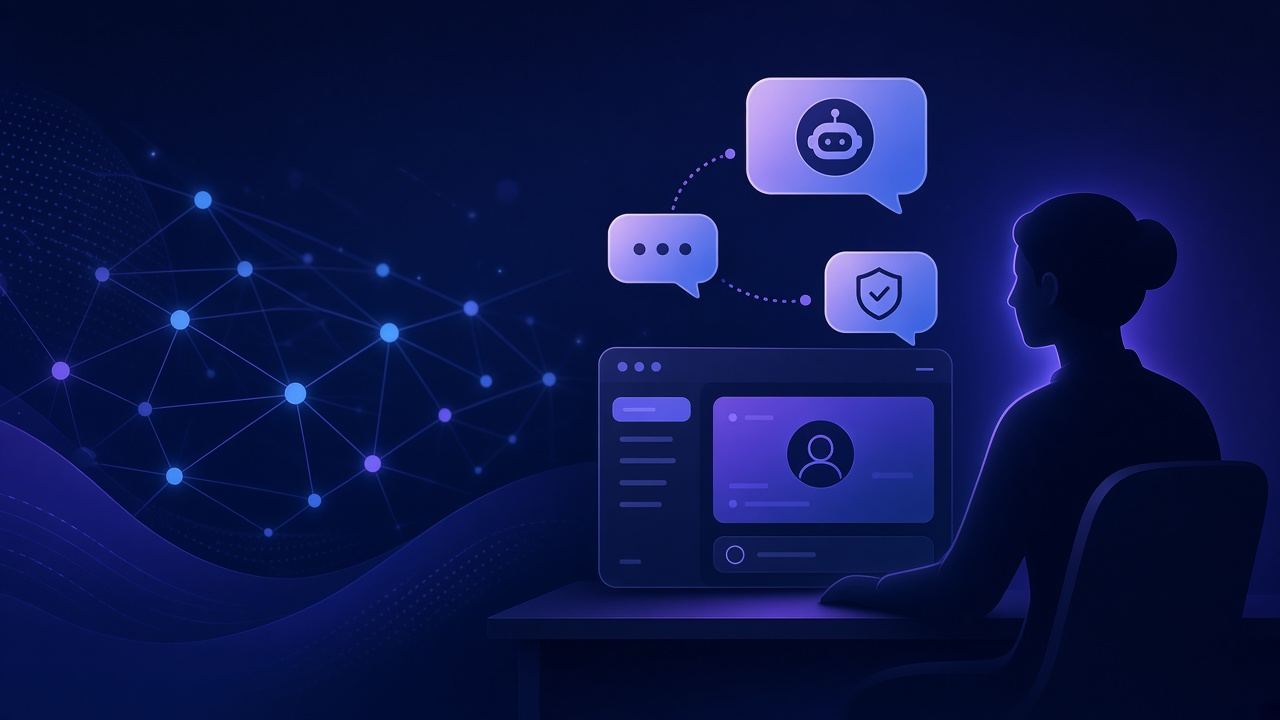
Choose the WhatsApp Business App if one person or a very small team replies manually from a phone and you want a free, simple setup. Choose the WhatsApp Business API if you need several agents on one number, chatbots, CRM or booking integrations, or automated notifications at scale. Many GCC businesses start on the App and move to the API when volume, staffing, or automation needs outgrow it.
1. Introduction: Two Products, One Brand, Very Different Jobs
In Kuwait and across the GCC, WhatsApp is often the first place customers go to ask a question, confirm an appointment, or check an order. That makes the choice between the WhatsApp Business App and the WhatsApp Business API a real business decision rather than a technical detail.
The two products share a name but solve different problems. The App is a mobile application designed for manual conversations. The API is a platform connection that lets your software, your team, and your automations send and receive WhatsApp messages in a controlled way. Picking the wrong one means paying for capability you never use or hitting limits as demand grows.
- The App is for people typing replies on a phone or desktop.
- The API is for systems, teams, and automation working through software.
- The right choice depends on volume, staffing, integrations, and compliance needs.
- You can start small and move later, if you plan the transition.
2. What Is the WhatsApp Business App?
The WhatsApp Business App is a free application for smartphones, built for small businesses that talk to customers directly. It adds business tools on top of the familiar WhatsApp experience: a business profile with address, hours, and website, a product catalogue, labels to organize chats, quick replies for common answers, and simple greeting and away messages.
It works well when a founder, receptionist, or small sales team handles conversations by hand. Setup takes minutes, there is no developer involvement, and staff already know how to use it. The trade-offs appear as you grow: the number is tied to a phone-based account, team access is limited, automation is basic, and there is no proper way to connect it to a CRM, booking system, or order platform.
- Free to download, with a business profile and catalogue.
- Quick replies, labels, and basic greeting or away messages.
- Suited to manual, one-to-one conversations.
- Limited team access, limited automation, and no real system integration.
3. What Is the WhatsApp Business API?
The WhatsApp Business API (delivered through Meta’s WhatsApp Business Platform, including the Cloud API) is not an app you install on a phone. It is a connection that lets your own software or a messaging platform send and receive WhatsApp messages. Access normally comes directly from Meta or through an approved Business Solution Provider, and the business needs a platform to actually work with the conversations.
That platform could be a shared team inbox, a CRM, a booking system, or a chatbot built for your processes. Because everything runs through software, you can route chats to the right department, let several agents work on one number, trigger automatic notifications from your systems, and add an AI assistant for routine questions. The API gives you capability and control, but it also needs setup, design, and ongoing management.
- No built-in chat screen: you use an inbox, CRM, or custom software.
- Multiple agents can work on the same business number.
- Chatbots, AI assistants, and workflow automation are possible.
- Requires setup, template approval, and a clear messaging policy.
4. WhatsApp Business API vs WhatsApp Business App: Side-by-Side Comparison
The table below summarizes the practical differences. Platform rules and features change over time, so confirm current details in Meta’s official documentation before you commit to a design.
Read it as a guide to fit, not a ranking: the App is simply built for a different stage.
| Feature | WhatsApp Business App | WhatsApp Business API |
|---|---|---|
| Best for | Small teams replying manually | Growing teams, automation, and system integration |
| Access | Phone-based app with limited linked devices | Through software, inbox, or CRM you connect to the platform |
| Multiple agents | Limited | Supported through your chosen platform |
| Chatbots and AI | Basic greeting and quick replies only | Full chatbot and AI assistant support |
| CRM, booking, order integration | Not practical | Designed for it |
| Outbound notifications | Manual or small broadcast lists | Approved message templates, sent from your systems |
| Setup effort | Minutes, no developer needed | Requires onboarding, configuration, and design |
| Cost model | Free to use | Meta sets messaging pricing; provider fees may also apply |
| Reporting and workflows | Basic | Custom analytics, routing, and escalation rules |
5. When the WhatsApp Business App Is Enough
The App is often the right starting point. If one or two people can answer every message comfortably, response times are acceptable, and your processes are simple, adding an API platform may create cost and complexity without a clear benefit.
It is also a sensible way to learn which questions repeat and when messages peak, which becomes the foundation for a future automation plan.
- A small shop, home-based business, or independent practitioner.
- Low message volume that one or two people can handle.
- No need to connect WhatsApp to other business systems.
- You want to test WhatsApp as a channel before investing further.
Not Sure Whether You Need the WhatsApp API?
Tell us how many conversations you handle, who replies, and which systems you use. We will help you choose the simplest option that fits.
6. When You Need the WhatsApp Business API
The API becomes valuable when manual handling starts to cause missed messages, inconsistent answers, or staff burnout. If several people need to share one number, if you want an assistant to answer common questions outside office hours, or if you want WhatsApp to update your CRM or booking system, you are moving into API territory.
It also fits businesses that send transactional notifications such as appointment reminders, order updates, or delivery confirmations. These messages must follow platform rules, use approved templates, and respect customer consent. The API provides the structure to do this reliably, along with the audit trail that growing businesses increasingly need.
- Several agents or departments handling the same customer number.
- Chatbot or AI assistant for routine questions and lead capture.
- Integration with CRM, booking, ticketing, or e-commerce systems.
- Automated reminders and notifications with consent and templates.
7. Pricing: What to Know Before You Decide
The Business App is free to download and use. The API works differently: Meta sets WhatsApp Business Platform pricing, and it varies by country and by message type. Because the rules and rates are updated by Meta, this article does not quote numbers. Please check Meta's official WhatsApp Business pricing page for the current structure that applies to your market.
When budgeting, think beyond messaging charges. Depending on your setup, you may also pay a messaging platform or Business Solution Provider, plus the one-time effort to design conversations, integrate systems, and train your team. A clear scope helps you compare options fairly and avoid surprises.
- Meta sets API messaging pricing; it varies by country and message type.
- Always verify the current rates on Meta’s official pricing page.
- Budget for platform, integration, and conversation design, not just messages.
- Ask any provider to explain exactly what is included in their fees.
8. Practical Examples for Kuwait and the GCC
Consider a small clinic in Kuwait City. With one receptionist and modest enquiry volume, the Business App can handle appointment questions through a business profile and quick replies. As the clinic adds branches, extra staff, and a booking system, it may want reminders and rescheduling handled through the API, with sensitive medical questions always routed to qualified staff.
A retail brand with an online store in the GCC may begin with a catalogue on the App. When customers ask about orders and returns across Arabic and English at all hours, an API-based assistant connected to the order system can answer status questions and hand complex cases to an agent. A restaurant might use the App for daily chats, then move to the API when it wants order confirmations and table-booking flows linked to its systems.
These are illustrative scenarios, not client results. The pattern is the same everywhere: start with the simplest tool that works, and move to the API when volume, staffing, or integrations justify it.
- Clinics: appointment questions first, then reminders and booking integration.
- Retail: catalogue and replies first, then order-status automation.
- Restaurants: manual chats first, then order and table-booking flows.
- All sectors: support Arabic and English, and keep human hand-off visible.
9. Setup, Consent, and Moving From the App to the API
API messaging is governed by platform rules. Customers should opt in before you send them business-initiated messages, and outbound messages outside the customer service window generally use pre-approved templates. Replies within that window are more flexible. Check Meta’s current policies, because rules and categories change.
If you already use the App on your business number, plan the move carefully. Meta has introduced an option (often called coexistence) that lets some businesses use the WhatsApp Business App and the Cloud API on the same number, with limitations and depending on availability. Chat history, labels, and catalogue data may still not carry over exactly as they appear. Check Meta's current documentation or ask your provider before planning a migration, back up important information, and tell your team and customers what to expect.
Finally, decide who owns replies, how escalation works, and which topics a bot must never handle.
- Collect clear opt-in before sending business-initiated messages.
- Use approved templates for outbound messages outside the service window.
- Check coexistence and migration options in Meta's current documentation before switching.
- Define ownership, escalation, and review routines before launch.
10. How to Decide: A Simple Checklist
Start with your current reality: how many conversations arrive each day, how many people reply, and how often messages wait too long. Then consider whether you want automation, shared access, or system integration.
If most answers point to “small, manual, and simple,” stay on the App and revisit later. If you see growing volume, multiple agents, repeated questions, or a need to connect WhatsApp with your CRM or booking tool, the API is likely the better investment. A short discovery discussion can clarify scope before you commit.
Minds Invasion builds WhatsApp chatbots, AI assistants, and software integrations for businesses in Kuwait and the wider GCC. If you are unsure which option fits, begin by listing your most frequent customer questions and the systems you use. That gives us a practical basis for a recommendation, whichever path you choose.
- Count daily conversations, agents, and delayed replies.
- List your most repeated customer questions.
- Identify the systems WhatsApp should connect to.
- Choose the simplest option that meets today’s needs and tomorrow’s plan.
Key Takeaways
- The App is built for manual conversations; the API is built for teams, systems, and automation.
- Start simple, and move to the API when volume, staff, or integrations demand it.
- Meta sets API pricing, which varies by country and message type; verify it on Meta’s official page.
- Plan consent, templates, and migration before switching an existing number.
- Keep Arabic and English support and a clear human hand-off in every design.
Frequently Asked Questions
Is the WhatsApp Business App free?
Yes, the WhatsApp Business App is free to download and use. The WhatsApp Business API is different: Meta sets messaging pricing, and a messaging platform or provider may charge separately for its own services.
Can I use both the App and the API on the same number?
Meta has introduced an option (often called coexistence) that lets some businesses use the WhatsApp Business App and the Cloud API on the same number, with limitations and depending on availability. Businesses should check Meta's current documentation or ask their provider before planning a migration.
Do I need a developer to use the WhatsApp Business API?
Not always for basic use, since some inbox platforms offer a ready interface. For chatbots, CRM or booking integration, and custom workflows, you will usually want a development partner to design and connect the pieces properly.
Can the API send messages to customers who have not contacted us?
Business-initiated messages require customer opt-in and generally use pre-approved templates. Always follow Meta’s current policies and local privacy expectations, and give customers an easy way to stop receiving messages.
Does the API support Arabic and English?
WhatsApp itself supports both languages, and a well-designed chatbot or inbox can handle Arabic and English conversations. Test real customer phrasing, including Gulf dialect, before launch, and keep human escalation available.
How much does the WhatsApp Business API cost?
Meta sets the pricing, and it varies by country and message type. Please check Meta's official WhatsApp Business pricing page for current details, and ask your provider what their own fees include.
Can Minds Invasion help with WhatsApp chatbot development?
Yes. Minds Invasion designs WhatsApp chatbots, AI assistants, and integrations for businesses in Kuwait and the GCC. A useful starting point is a short list of your top customer questions and the systems you want connected.
Ready to Set Up WhatsApp the Right Way for Your Business?
Whether you stay on the Business App or move to the API with chatbots and integrations, we can help you plan a practical, compliant setup for your market. Let’s discuss your requirements.
Further Reading
Related Articles
AI Chatbots for Clinics in Kuwait: A Practical Guide
A practical guide for Kuwait clinics: what an AI chatbot should handle, how to use WhatsApp and bilingual replies, how to cover after-hours enquiries, and how to keep medical questions with qualified staff.

How AI Is Transforming Business Operations in 2026
Artificial intelligence has moved beyond experimentation. This guide explains how businesses can apply AI to everyday operations — with clear benefits, realistic use cases, an adoption roadmap, and practical safeguards.
AI Chatbots for Customer Support: Benefits, Use Cases, and Best Practices
A practical guide to AI chatbots for customer support — how they work, where they help, which features matter, and how to implement, measure, and improve a business chatbot.